


Key takeaways:
- The product catalog prioritises relevance by aligning visibility to partner access and brand eligibility.
- Partners can browse or search based on how defined a requirement is, without being locked into a fixed flow.
- Discovery features surface new products and relevant promotions without requiring manual tracking.
- Product pages consolidate specifications, FAQs, and documents to support faster, interruption-free buying decisions.
- By unifying discovery and ordering, the platform supports scale while reducing operational friction.
In B2B distribution, buying decisions rarely follow a straight path. A customer requirement comes in, brand eligibility needs to be checked, specifications have to be confirmed, and timelines are often tight. For partners, the challenge is not access to products. It is understanding what is relevant at that moment and being able to move forward without delay.
Redington Online is designed around this reality. As a b2b online E-commerce platform, it helps partners clearly see what they can buy, what applies to their business, and how quickly they can act. This guide explains how the product catalog is structured, how partners navigate it, and how discovery features surface the right products at the right time.
Why a Large Product Catalog Needs Structure
A broad portfolio only adds value when it is easy to work with. In many traditional setups, partners still rely on spreadsheets, emails, or internal confirmations to validate products. This slows down sales conversations and increases the risk of errors.
On Redington's platform, products are organised with purpose. The catalog is structured around categories, brand eligibility, and partner relevance. This allows partners to work within a focused view rather than scanning through unrelated listings. That structure is what makes the platform effective as a b2b distribution platform, not just a place-to-place orders.
How the Product Catalog Is Organised for Everyday Buying
The catalog supports both exploration and targeted sourcing.
Category Browsing
Partners can browse by category when requirements are still being shaped. This includes computing devices, accessories, enterprise hardware, peripherals, and related technology solutions. Categories help reduce the list of options, but they still leave room to explore before a final choice is made.
Brand Alignment
Once logged in, brand alignment becomes clear. Partners do not see every product Redington distributes. It adjusts the catalog based on the brands a partner is allowed to work with. Dedicated brand-aligned views remove the need to manually filter listings or repeatedly check eligibility during quoting.
Material Group Alignment
Material group alignment plays a key role in this experience. Product visibility changes based on a partner's business focus and the agreements they operate under. As a result, the b2b online ordering system feels relevant and manageable rather than overwhelming.
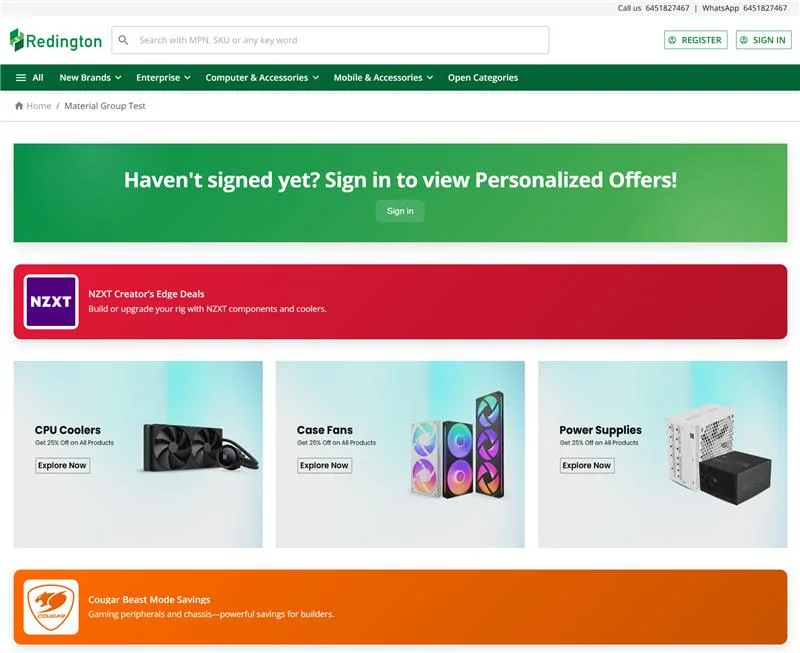
How Partners Actually Move Through the Platform
People don't use the platform in one fixed way. How they move through it usually depends on what stage a requirement is in. Sometimes the need is still broad, and browsing through categories helps narrow things down. At other times, the product or configuration is already clear, and search becomes the faster route.
The platform accommodates both behaviours without pushing users into a specific flow. Partners can move between browsing and search naturally, based on how the conversation or requirement is evolving at that moment. Both approaches are supported without forcing users into a fixed workflow.
Before Login Experience
Before logging in, users see an open catalog with general product visibility and promotional content. This helps create familiarity with the range available.
Post-Login Focused View
Before logging in, users see an open catalog with general product visibility and promotional content. This helps create familiarity with the range available. After login, the catalog no longer feels broad. It narrows down to products and brands that are relevant to the partner, which makes it easier to focus. At this stage, the platform starts to function as a working b2b online platform, not just a digital catalogue.
Apple Aligned Partner's Screen Post Login:
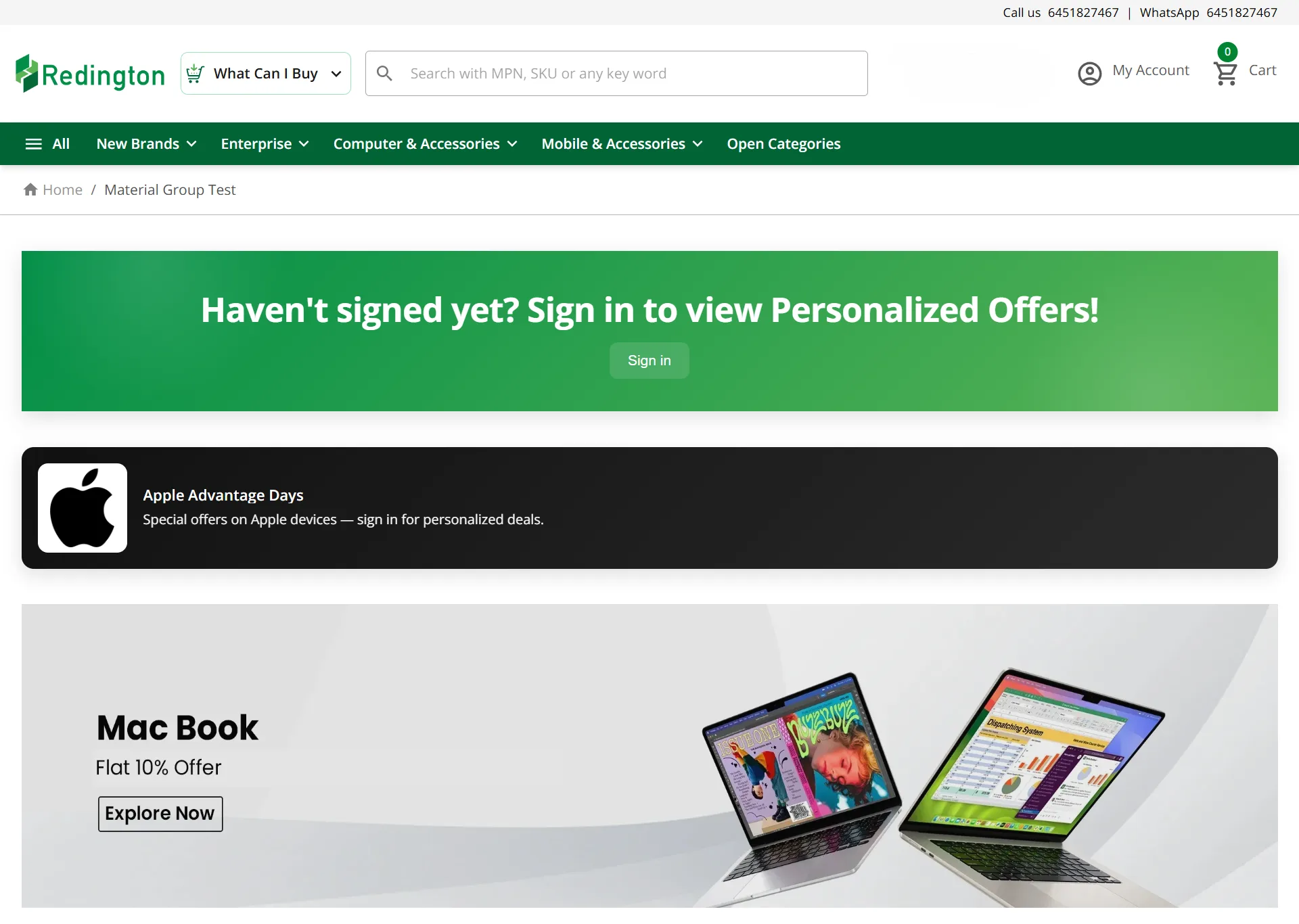
How Discovery Features Help Partners Find Relevant Products
Discovery on the platform goes beyond basic search and browsing. When partners use the catalog regularly, product updates tend to show up without them having to look for them. New additions appear as part of normal browsing, and featured products are placed where they are likely to be noticed. Promotions also follow the same logic. They are tied to brand access and material groups, so what appears on the screen usually relates to the partner's line of business.
Automatic product updates during normal browsing
Featured products placed strategically
Brand-aligned promotional content
Reduced background noise and irrelevant campaigns
This approach cuts down a lot of background noise. Instead of scrolling through campaigns that may not apply, partners spend more time looking at products they can actually sell. From the platform side, content can be refreshed quickly, which helps keep discovery current. Over time, this becomes one of those quiet tools that simplify business operations, particularly when order volumes and product ranges start to increase.
Practical Platform Features That Help During Active Buying
This part of the catalog usually gets noticed when deals are already in motion. During sourcing calls or presales discussions, partners need answers quickly, without stepping away from the conversation.
Practical details partners tend to rely on
Product specifications are laid out in a way that's easier to work with
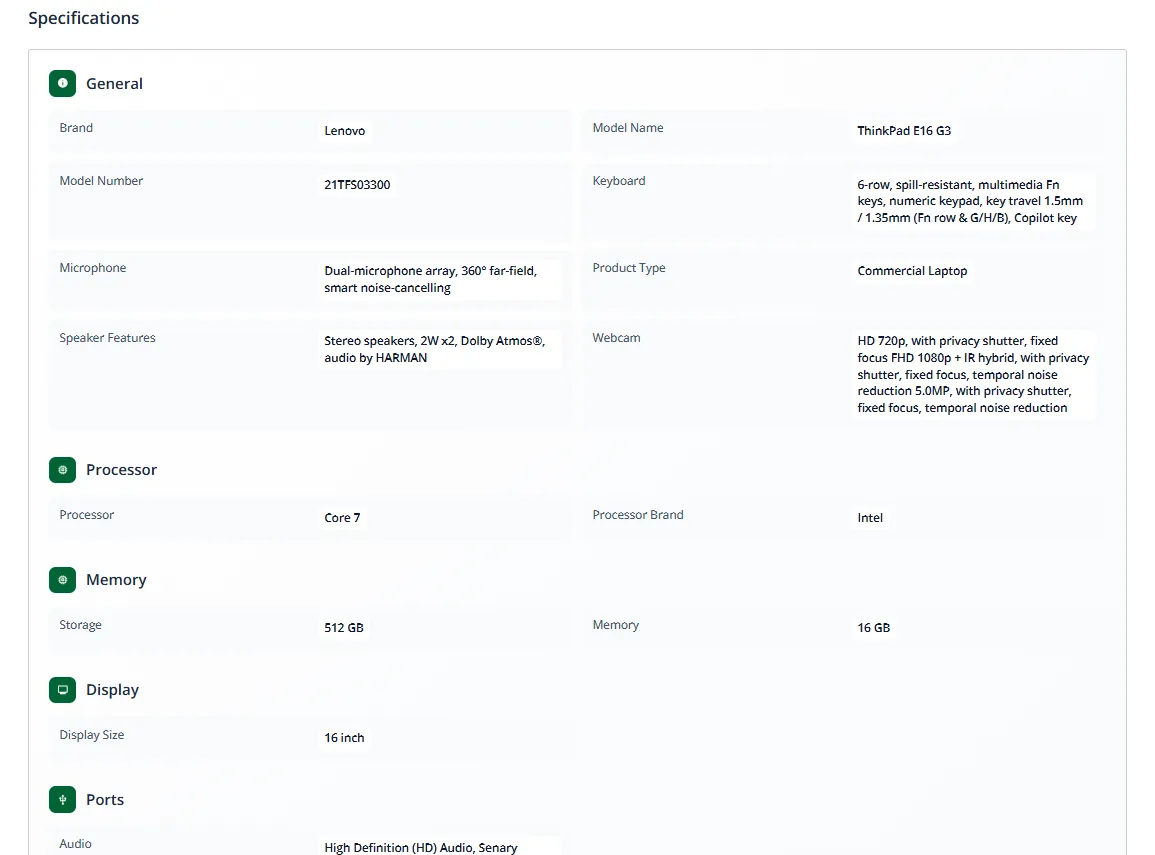
Questions that come up repeatedly are already answered
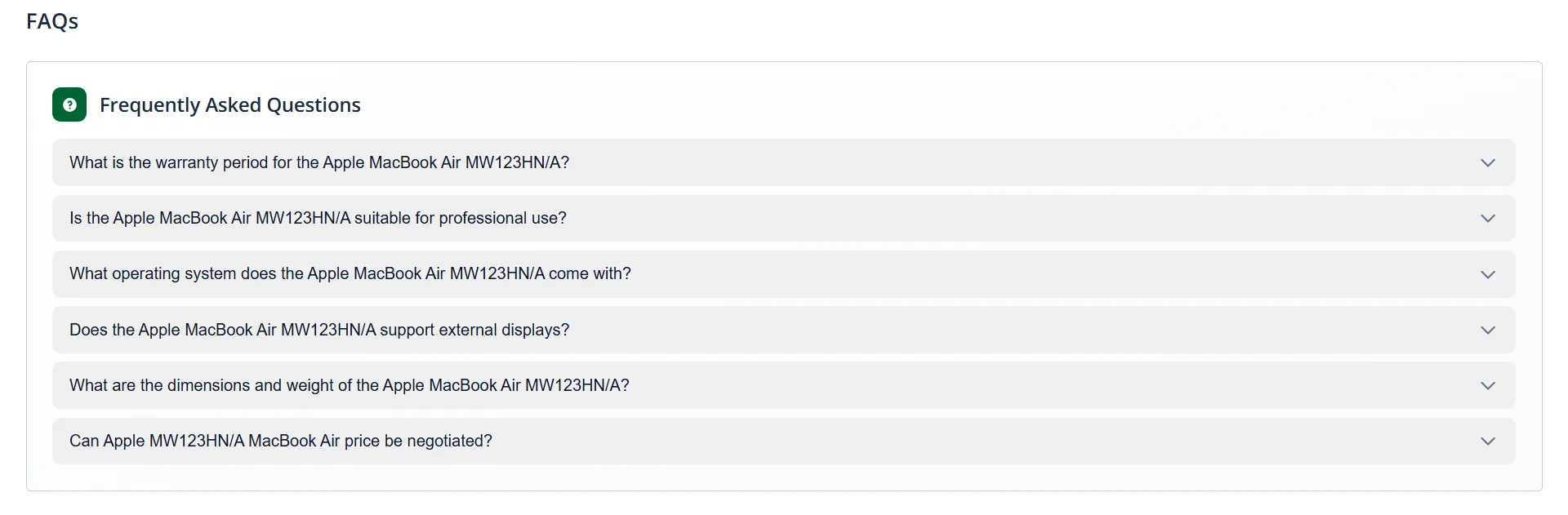
Documents are available when they are needed, not after
Taken together, these features tend to reduce interruptions during active buying. Over time, this becomes one of the more visible benefits of using Redington's online portal, particularly when accuracy matters.
Why This Matters as Order Volumes Increase
When order volumes are low, small delays are easy to ignore. As activity increases, those same delays start to show up more clearly. Things like switching between tools, looking for documents, or rechecking details tend to interrupt the flow of work more than teams expect.
Reduced Tool Switching
By keeping discovery, product information, and ordering within the same environment, partners spend less time managing processes.
Improved Response Times
Partners can respond more quickly to customers without interruptions from scattered information sources.
Better Focus
Teams spend more time responding to customers and less time managing workflows and confirmations.
Over time, these interruptions make everyday tasks feel heavier than they should. That is usually when teams begin to notice where time is being lost, even though the steps themselves seem minor.
By keeping discovery, product information, and ordering within the same environment, Redington's platform helps reduce that friction. Partners spend less time managing processes and more time responding to customers. This is where the platform shows its strength as a practical b2b online ordering system, built to handle scale without making day-to-day work more complicated.
Conclusion
A product catalog often operates in the background, but in B2B distribution, it directly influences how quickly partners respond to customer needs and how confidently they move deals forward.
Redington's Online Platform brings structure to this process. The catalog is organised around relevance, discovery is built into everyday workflows, and product information is accessible when decisions need to be made. Instead of switching between tools or waiting for confirmations, partners can stay focused on conversations and next steps.
As a b2b online platform, it supports more than transactions. It supports clarity across sourcing, evaluation, and ordering. For partners operating at scale, this reduces friction and improves response times without adding complexity. By bringing these elements together, the platform demonstrates the real benefits of using Redington Online portal within a dependable b2b distribution platform built for everyday business.
Visit Redington Online