

Most teams don't think about reordering until they have to.
A product starts moving faster than usual, someone checks availability, and only then does the need to reorder come up. By that point, it's already urgent.
This is where small delays start turning into bigger issues. Stockouts are still one of the most common reasons businesses miss out on sales — not because demand wasn't there, but because the response came late.
Reordering, in that sense, is not just an operational step. It directly affects how quickly a business can respond when demand shows up.
Where Reordering Usually Breaks Down
In a lot of cases, reordering still depends on effort that doesn't scale well.
Someone has to:
- Look up what was ordered last time
- Search for the same products again
- Recreate the order manually
It works, but it's not efficient. And more importantly, it's inconsistent.
Two different people placing the same repeat order might not follow the same approach. Quantities change, items get missed, or extra time is spent just verifying things that were already known.
Over time, this slows things down more than expected.
Using Purchase History for Smarter Reordering
Most platforms store order history, but that alone doesn't help unless it's easy to act on.
On Redington Online, past orders are available directly within the Orders section. The difference here is that this information is not just stored — it's usable in the same workflow.
This is where purchase history based reordering starts to make sense in practice.
Instead of digging through records, teams can simply:
- Open previous orders
- Check what was purchased
- Use that as the starting point for the next order
It sounds simple, but it removes a lot of unnecessary steps.
Smart Reordering in Action on Redington Online
The actual process of reordering is where things become noticeably easier.
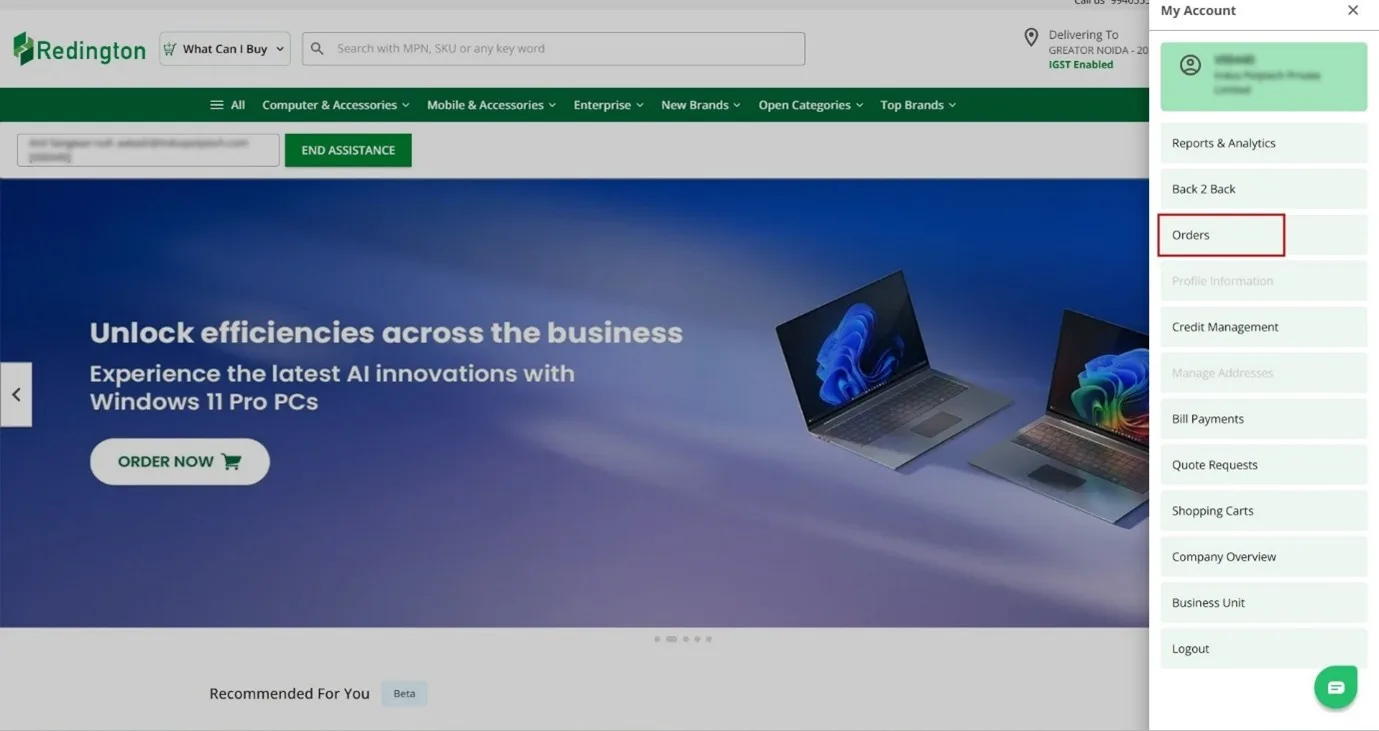
After logging in, users can go to the Orders section and see a list of past transactions. Each entry gives enough detail to quickly identify the order they want to revisit.
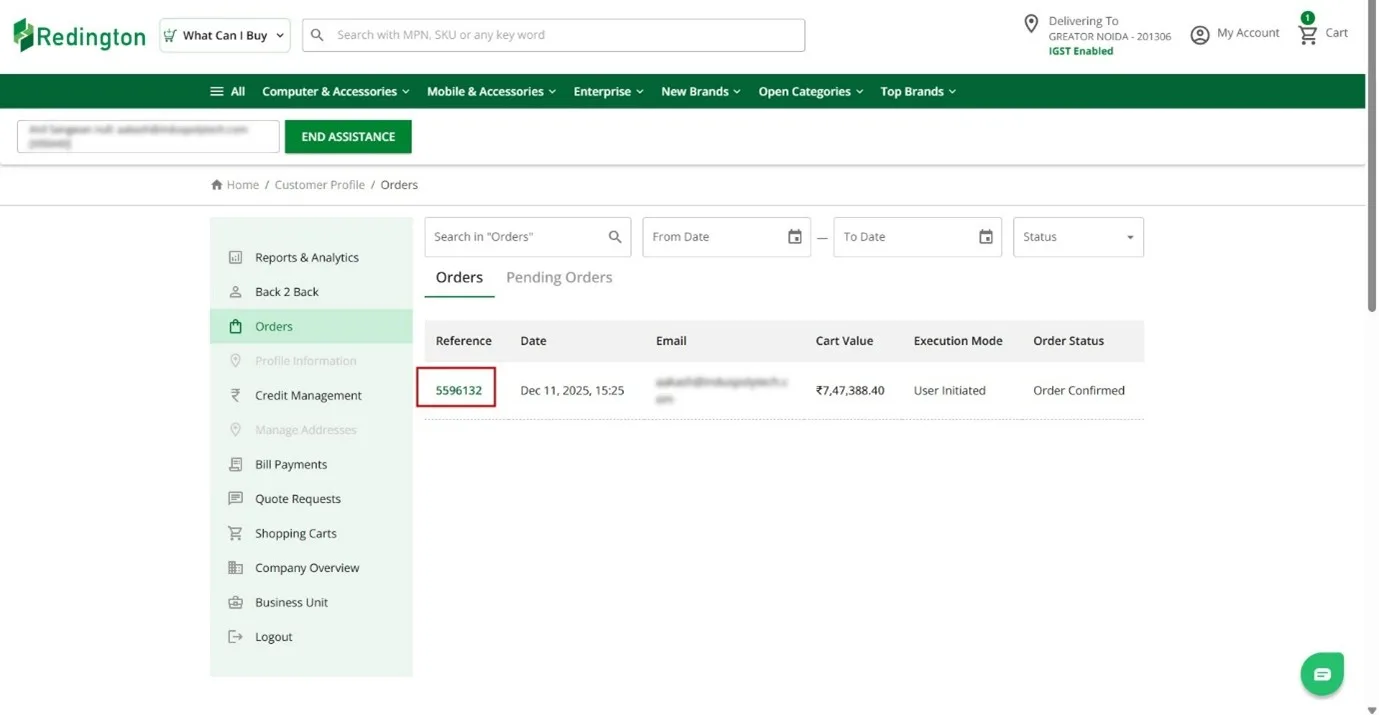
Clicking on a reference number opens the full order view. From there, everything is already laid out — the products, quantities, and pricing.
From here, the next step is straightforward. By clicking on Reorder, the same order is brought back instantly.
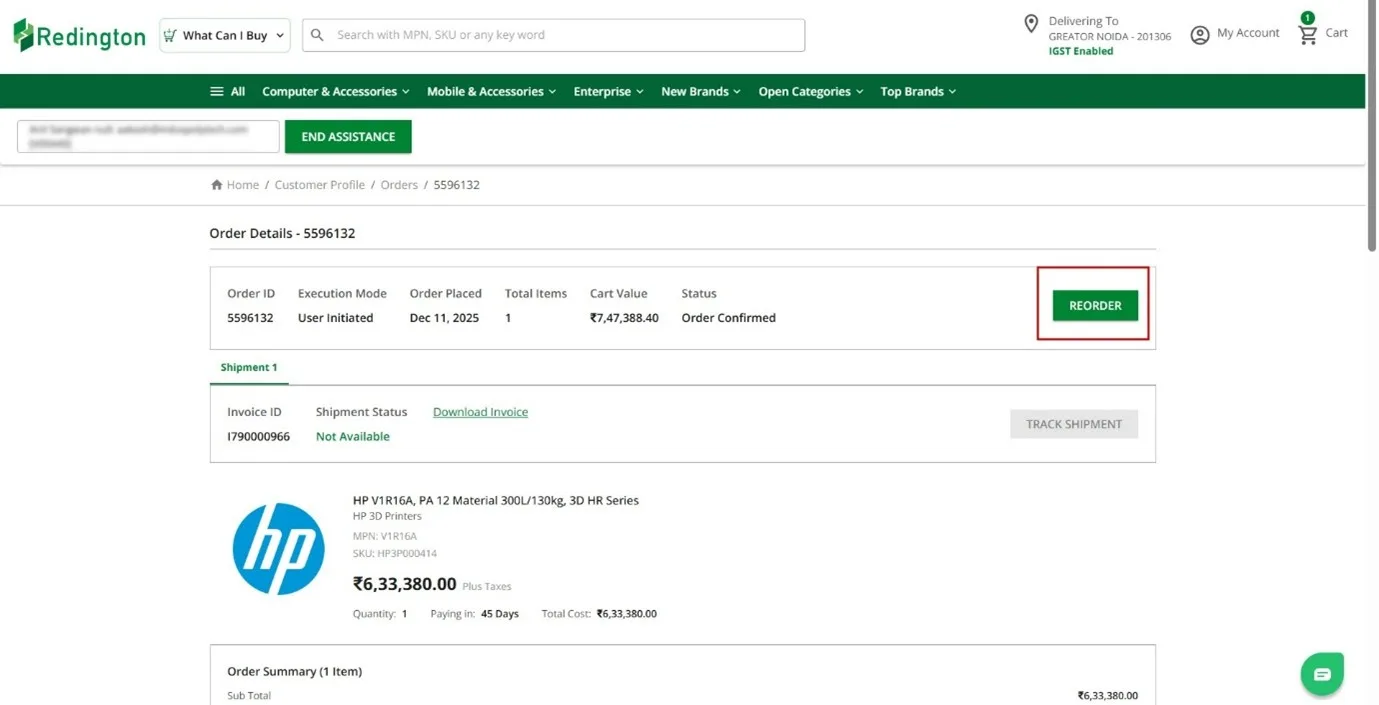
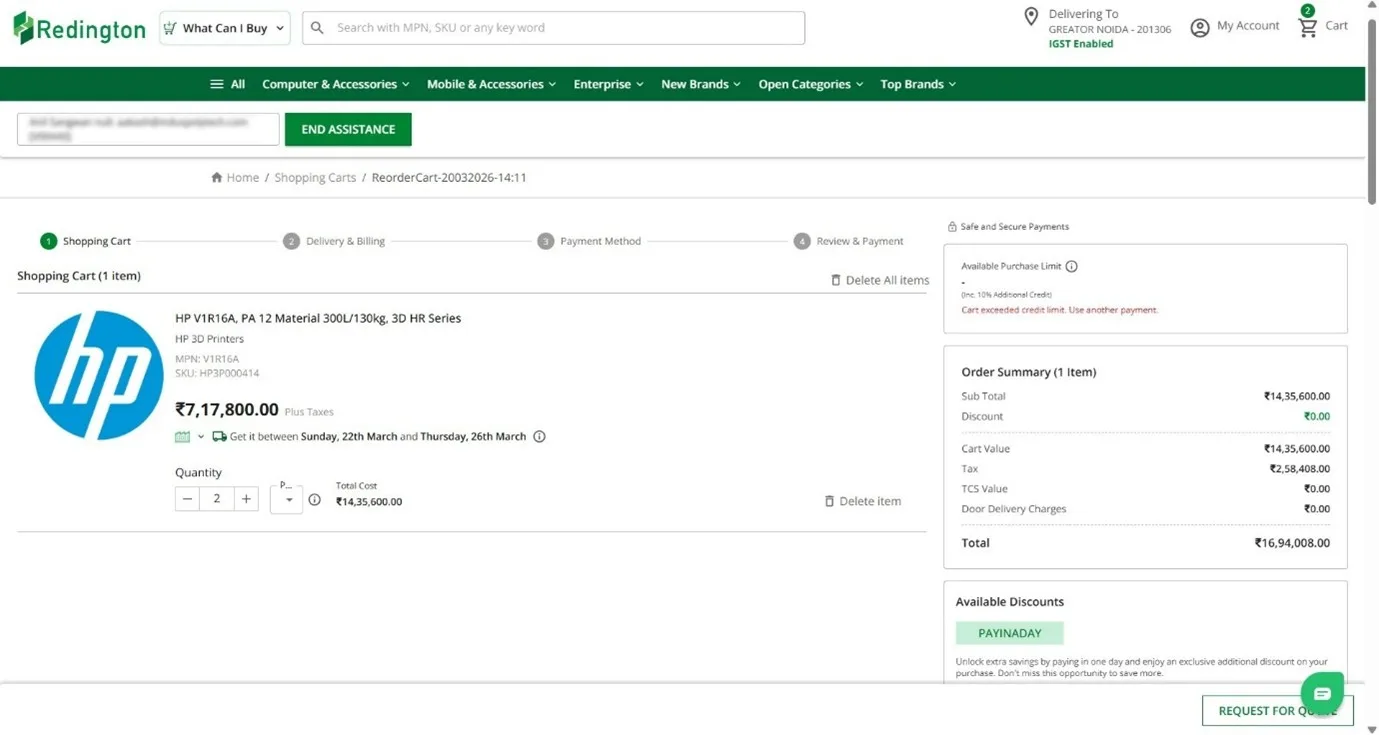
- Quantities can be increased or reduced
- Items can be reviewed before placing the order
- Changes can be made without starting over
This is a straightforward way of applying how to use purchase history for smart reordering in day-to-day work.
And this is where smart reordering actually shows its value — not as a concept, but as something teams can do in seconds.
What This Changes for Partners
The biggest difference is not just speed — it's how predictable the process becomes.
When reordering becomes easier, the difference shows up in small, everyday moments.
This is where smart reordering starts to have a real operational impact.
Adding Timing into Equation
Even with a simpler reordering process, timing still matters.
If teams only reorder when stock is already low, the situation doesn't really improve — it just becomes easier to react.
What helps here is having some level of visibility into what needs attention.
Bringing Structure with Alerts and Visibility
Even with an easier way to reorder, timing can still throw things off.
In most cases, teams only act when something is already running low. By then, the decision is already urgent. What helps here is having a clearer sense of what might need attention before it gets to that point.
That's where an inventory alerts system starts to make a difference. Instead of keeping track of everything manually, there's some visibility into which products are likely to come up again. It doesn't replace judgment, but it gives a nudge at the right time.
When you look at those signals along with past orders, it becomes easier to stay a step ahead. Using reorder alerts for inventory together with purchase history makes the process feel less reactive and a bit more controlled.
Over time, something else changes as well. Reordering stops feeling like a task you have to rebuild every time. You're not going back and checking every detail or starting from a blank cart.
It becomes more of a continuation than a restart.
That's really where automated inventory reordering begins to show up — not as a separate system, but as a byproduct of doing the same things with less effort.
Smart reordering is not about ordering more — it's about reducing effort, improving timing, and making better use of what's already available.
Reordering as a Structured Part of Operations
Reordering is often treated as routine, but it has a direct impact on how smoothly a business runs.
When it depends only on immediate need, it becomes reactive. But when purchase history, platform workflows, and visibility come together, it becomes more structured.
Smart reordering is not about ordering more — it's about reducing effort, improving timing, and making better use of what's already available.
For partners, that translates into fewer delays, more consistency, and better control over everyday operations.
Explore Platform Features