

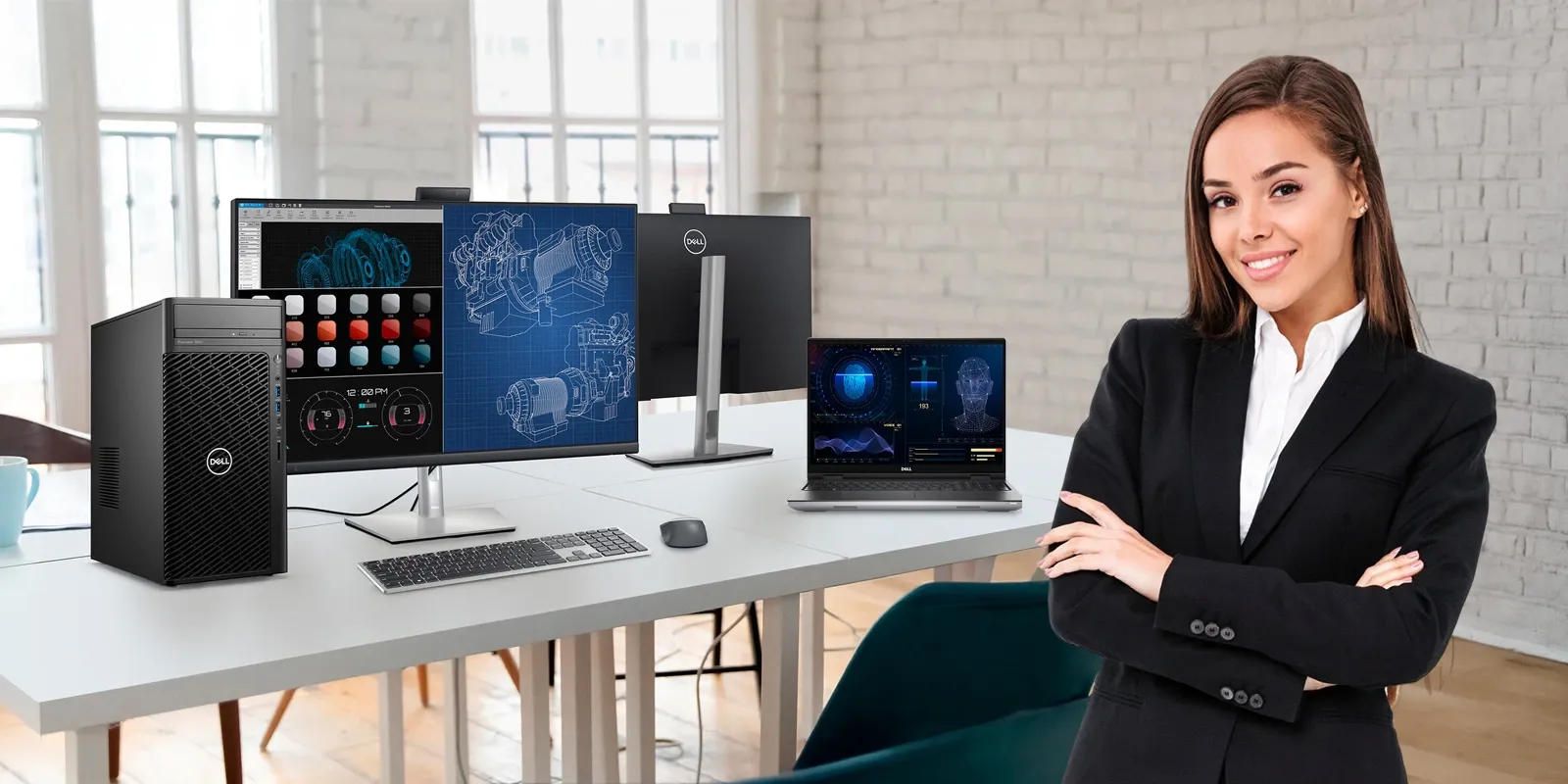
Workloads are changing faster than many businesses expected. Engineering simulations are getting heavier. Design files are larger. Developers run multiple environments at once, and media teams handle increasingly high-resolution content.
Industry analysts have noticed the shift as well. According to an IDC market outlook referenced in a Dell Technologies workstation report, demand for high-performance workstations continues to grow as businesses adopt more compute-intensive applications across industries.
For retailers, distributors, and IT partners, this trend shows up in everyday conversations with customers. Someone calls, saying their current systems slow down during design work. Some customers say they need a better system.
The challenge is figuring out what kind of workstation they actually need. In some situations, a Dell workstation is the right fit. In others, a powerful business laptop or even a tower workstation might make more sense. Helping customers make that distinction is how partners recommend the best Dell workstation for business workloads instead of just selling higher specifications.
Understanding Different Types of Professional Computing Devices
Professional computing needs vary widely depending on the workloads organizations handle. Some teams rely on systems designed for mobility and everyday productivity, while others require devices capable of supporting more demanding software environments.
Because these workloads vary so much, most professional computing environments fall into three broad categories. This is usually where partners begin explaining the difference between professional laptop vs workstation systems.
A productivity laptop focuses on mobility and business applications. It handles enterprise software, collaboration tools, and multitasking well. In many partner discussions, the topic of workstations usually comes up once customers begin using heavier applications. Systems that work well for everyday business tasks may start slowing down when teams move into design work, engineering software, or development environments. At that point, the question becomes whether a powerful business laptop will still be sufficient or if a workstation-class system is needed.
Performance Differences Between Laptop, Mobile Workstation, and Tower Workstation
When customers compare systems, the conversation often turns to mobile workstation vs desktop workstation performance.
High-performance laptops handle business workloads comfortably. Finance teams working with large spreadsheets, analysts running dashboards, and consultants managing multiple applications can rely on these devices for everyday productivity.
Mobile workstations sit in the middle ground between productivity laptops and fixed workstation systems. Teams working with design tools, CAD software, or development environments often need more processing power and graphics capability while still keeping the flexibility to work from different locations. In these cases, a Dell workstation laptop becomes a practical option.
Then there are tower workstations. A high-performance workstation PC is typically used in environments where tasks like simulations or rendering run for extended periods. Rendering tasks, engineering simulations, and complex modeling environments often require this level of hardware.
For partners, the difference between these systems usually comes down to one question: how demanding is the workload, and how long does it run?
When to Choose Each System
In many customer environments, the main workload revolves around productivity tools rather than specialized engineering software. Teams in consulting, finance, or business operations often run several applications at the same time — analytics dashboards, large spreadsheets, and collaboration platforms.
In these situations, a powerful business laptop is usually sufficient. Many organizations rely on laptops like the Dell Pro Max 16 when employees need to run several applications at the same time while still working across different locations.
Retail partners often recommend this type of device for consulting firms, corporate teams, and organizations where mobility matters as much as performance.
Workloads change significantly when industries rely on specialized software. Architects reviewing building models, product designers testing prototypes, and engineers running simulations all depend on graphics acceleration and large memory capacity.
At the same time, these professionals rarely stay in one place. They may review designs with clients, collaborate across offices, or work directly on project sites.
Systems such as the Precision 3591 mobile workstation combine workstation-grade graphics, strong processing power, and high memory capacity while still remaining portable. Professionals can run demanding applications without being tied to a fixed workstation.
When organizations compare mobile workstation vs desktop workstation setups, mobility often becomes the deciding factor.
Even though portable devices are more powerful today than ever before, tower workstations still play an important role in certain industries. Workloads such as engineering simulations, large design models, or rendering tasks often run for long stretches and require stable computing performance.
In these situations, many organizations turn to tower workstations, which provide more room for performance and future hardware upgrades. Systems such as the Precision 3680 Tower workstation are typically used in environments where workloads run continuously and reliability is more important than portability.
Another advantage is upgrade flexibility — components such as memory, storage, or graphics can be expanded as requirements grow, without replacing the entire system.
Workstation Usage Across Industries
Workstation requirements usually become clearer once the actual workload is discussed. In many partner conversations, the industry alone does not determine the system — the applications do.
| Industry / Team | Typical Workload | Recommended System |
|---|---|---|
| Architecture & Construction | Building model reviews, client presentations, on-site collaboration | Mobile Workstation — project discussions often happen outside the office |
| Engineering & Manufacturing | Simulation tools, complex product models running for extended periods | Tower Workstation — sustained computing power and stability required |
| Consulting & Enterprise | Analytics tools, large datasets, multiple business applications | High-Performance Laptop — mobility and multitasking are the priority |
| Media & Content Creation | High-resolution video rendering, large file processing | Tower Workstation for studio; Mobile Workstation for field work |
| Finance & Analytics | Large spreadsheets, dashboards, collaboration platforms | High-Performance Laptop — sufficient for everyday business productivity |
Recognizing these patterns helps partners recommend the best Dell workstation for business environments while aligning device type with real workloads.
Selecting the right workstation solution begins with understanding how professionals use their systems. For retailers, wholesalers, and distributors, understanding these differences makes it easier to recommend the best Dell workstation for business environments and deliver systems aligned with customer needs.
Match the Workstation to the Workload
A Dell workstation laptop provides flexibility and performance for engineers and designers working across locations. High-performance laptops support demanding productivity environments, while tower workstations remain essential for heavy technical workloads.
For retailers, wholesalers, and distributors, understanding these differences makes it easier to recommend the best Dell workstation for business environments and deliver systems aligned with customer needs.
Partners can explore workstation models and configurations through Redington Online, which simplifies sourcing and procurement across multiple product categories.
Explore Dell Workstations